/data/build/main1.sh &
P1=$!
/data/build/main2.sh &
P2=$!
wait $P1 $P2
Wednesday, 12 January 2022
How to run spawn using a bash script?

Friday, 7 January 2022
triton - how to set the batch size: dynamic versus predefined
predefined:-
name: "kps"
platform: "tensorrt_plan"
max_batch_size: 16
dynamic_batching {
preferred_batch_size: [ 1,2,4,8,16 ]
max_queue_delay_microseconds: 50
}
instance_group [
{
count: 16
kind: KIND_GPU
gpus: [ 0 ]
}
]
input [
{
name: "input"
data_type: TYPE_FP32
format: FORMAT_NCHW
dims: [ 3, 64, 64 ]
reshape { shape: [ 3, 64, 64 ] }
}
]
output [
{
name: "output1"
data_type: TYPE_FP32
dims: [ 1]
},
{
name: "output2"
data_type: TYPE_INT32
dims: [ 1 ]
},
{
name: "output3"
data_type: TYPE_FP32
dims: [ 8,64 ]
}
]
version_policy: { all { } }
dynamic:-
platform: "tensorrt_plan"
max_batch_size: 0
instance_group [
{
count: 16
kind: KIND_GPU
gpus: [ 0 ]
}
]
input [
{
name: "images"
data_type: TYPE_FP32
dims: [ -1,3, 640, 640]
}
]
output [
{
name: "524"
data_type: TYPE_FP32
dims: [ -1,3,80,80, 7 ]
},
{
name: "585"
data_type: TYPE_FP32
dims: [ -1,3,40,40, 7 ]
},
{
name: "646"
data_type: TYPE_FP32
dims: [ -1,3,20,20, 7 ]
},
{
name: "output"
data_type: TYPE_FP32
dims: [ -1, 25200, 7 ]
}
]
~
~
~
~
Tuesday, 4 January 2022
cmake of VisionWorks
cmake_minimum_required(VERSION 3.10)
#set the project name and version
project(render)
find_package(OpenCV REQUIRED)
find_package(CUDA 10.2 REQUIRED)
set(WITH_CUDA ON)
SET(CMAKE_CXX_FLAGS "${CMAKE_CXX_FLAGS} -std=c++11 -pthread")
include_directories(${OpenCV_INCLUDE_DIRS})
add_executable(main main_nvgstcamera_capture.cpp)
target_include_directories(main PUBLIC
-I/usr/local/cuda-10.2/targets/aarch64-linux/include
/usr/share/visionworks/sources/nvxio/include
/usr/share/visionworks/sources/nvxio/src/
/usr/share/visionworks/sources/nvxio/src/NVX/
/usr/share/visionworks/sources/3rdparty/opengl
/usr/share/visionworks/sources/3rdparty/glfw3/include
/usr/share/visionworks/sources/3rdparty/freetype/include
/usr/share/visionworks/sources/3rdparty/eigen
)
target_link_libraries(main
-L$(PKG_CONFIG_SYSROOT_DIR)/usr/lib
/usr/share/visionworks/sources/libs/aarch64/linux/release/libovx.a
/usr/share/visionworks/sources/3rdparty/freetype/libs/libfreetype.a
/usr/share/visionworks/sources/3rdparty/glfw3/libs/libglfw3.a
/usr/lib/aarch64-linux-gnu/tegra-egl/libGLESv2_nvidia.so.2
-L/usr/lib/aarch64-linux-gnu
-lEGL
-lXrandr
-lXi
-lXxf86vm
-lX11
-lgstpbutils-1.0
-lgstaudio-1.0
-lgstvideo-1.0
-lgstapp-1.0
-lgstbase-1.0
-lgstreamer-1.0
-lgobject-2.0
-lglib-2.0
/usr/lib/aarch64-linux-gnu/tegra/libcuda.so
-L/usr/local/cuda-10.2/targets/aarch64-linux/lib
-lcudart
-lvisionworks
${OpenCV_LIBS}
)
Saturday, 1 January 2022
how to loop a string array in c++?
#include "iostream"
#include "string.h"
using namespace std;
int main()
{
string strNames[] = { "Name1", "Name2", "Name3", "Name4", "Name5", "Name6"};
for each(string name in strNames)
{
printf("%s\n", name.c_str());
}
return 0;
}
Thursday, 9 December 2021
10 Practical Examples of Rsync Command in Linux
https://www.tecmint.com/rsync-local-remote-file-synchronization-commands/
1. Copy/Sync Files and Directory Locally
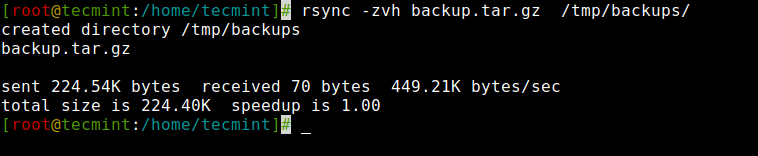
2. Copy/Sync a Directory on Local Computer
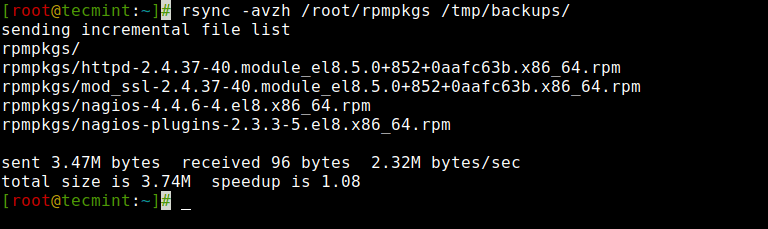
3. Copy/Sync Files and Directory to or From a Server
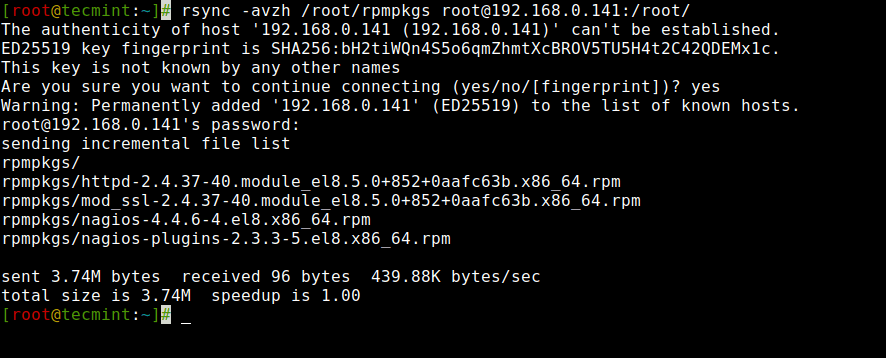
4. Rsync Over SSH
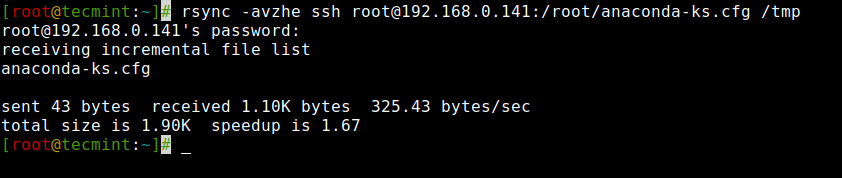
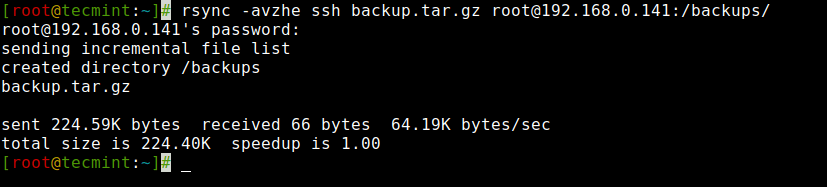
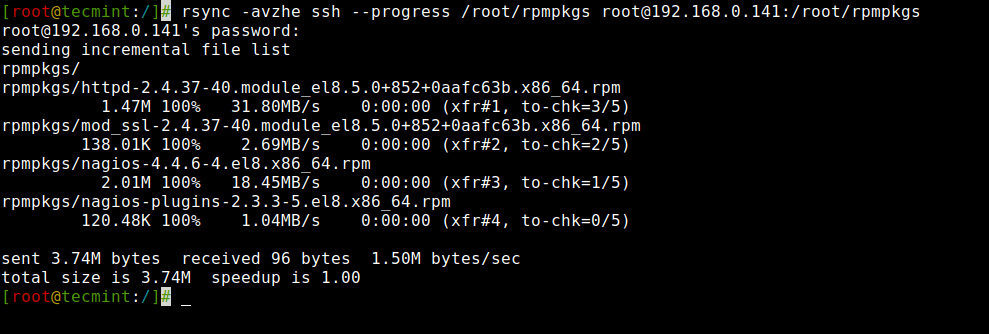
5. Show Progress While Transferring Data with rsync
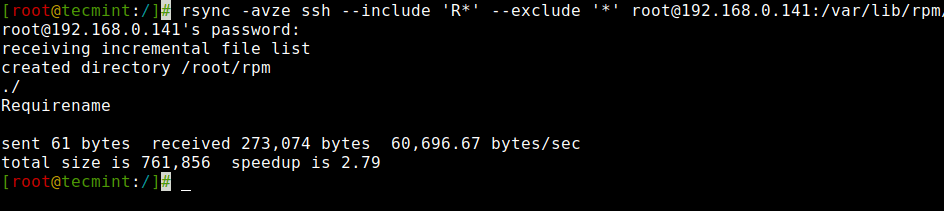
6. Use of –include and –exclude Options
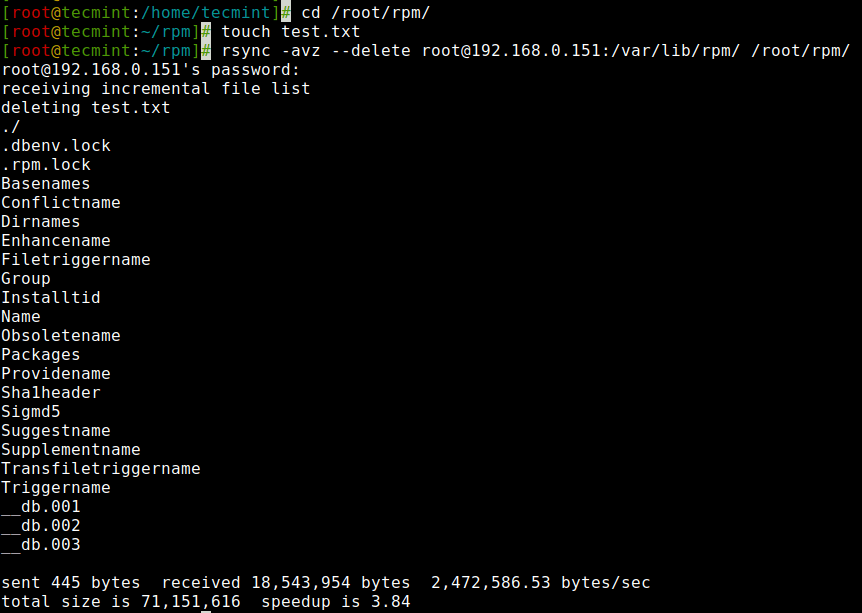
7. Use of –delete Option
If a file or directory does not exist at the source, but already exists
at the destination, you might want to delete that existing
file/directory at the target while syncing.
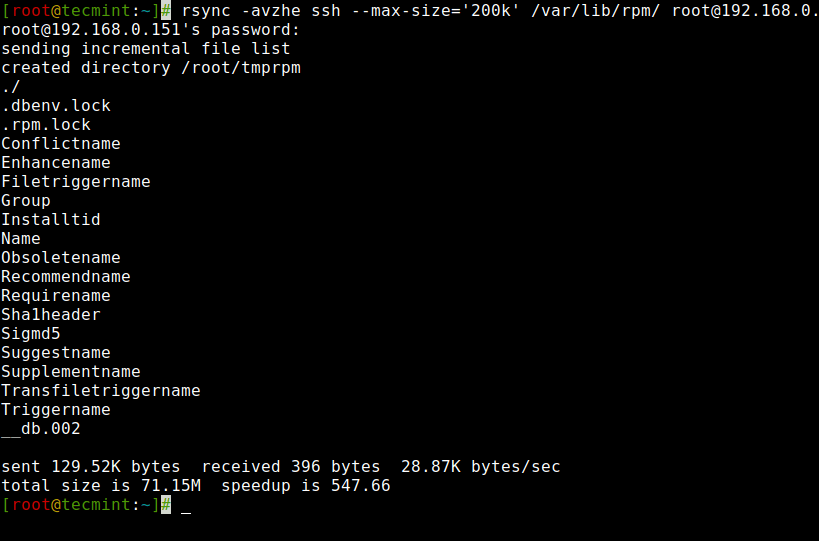
8. Set the Max Size of Files to be Transferred
this command will transfer only those files which are equal to or smaller than 200k.
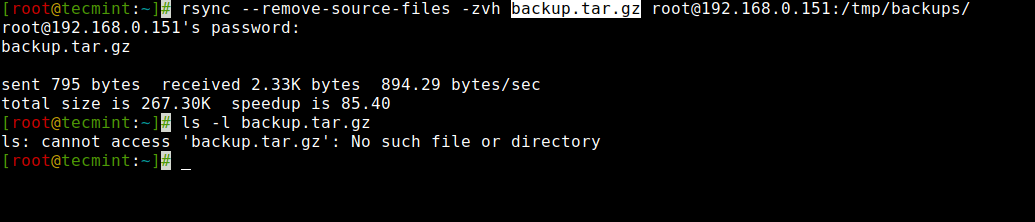
9. Automatically Delete source Files After Successful Transfer
Tuesday, 9 November 2021
Face Landmark Annotation Tool
import cv2
pts = []
count = 0
def click_event(event,x,y,flags,params):
if event == cv2.EVENT_LBUTTONDOWN:
pts.append([x,y])
font = cv2.FONT_HERSHEY_SIMPLEX
cv2.circle(img, (x,y), 2, (0,255,0))
cv2.putText(img,str(len(pts)-1),(x,y),font,0.5,(255,0,0),1)
print(pts)
cv2.imshow('image',img)
if event == cv2.EVENT_RBUTTONDOWN:
pts.pop()
if __name__ =="__main__":
img = cv2.imread('/home/ccng/a2e/face-analysis-sdk/build/bin/afanqi.jpg',1)
cv2.imshow('image',img)
cv2.setMouseCallback('image',click_event)
cv2.waitKey(0)
cv2.destroyAllWindows()
Subscribe to:
Posts (Atom)