Thursday, 9 December 2021

10 Practical Examples of Rsync Command in Linux

 https://www.tecmint.com/rsync-local-remote-file-synchronization-commands/


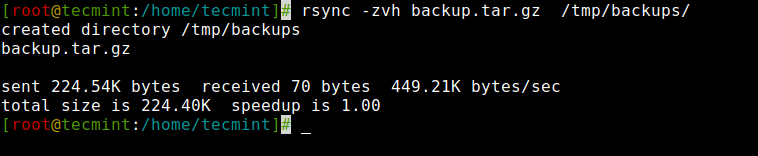
1. Copy/Sync Files and Directory Locally

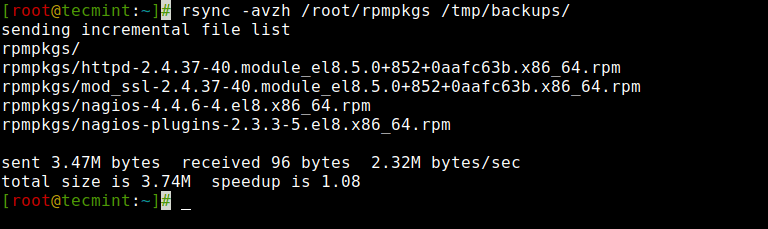
Rsync Local Files


2. Copy/Sync a Directory on Local Computer

Rsync Local Directory


3. Copy/Sync Files and Directory to or From a Server

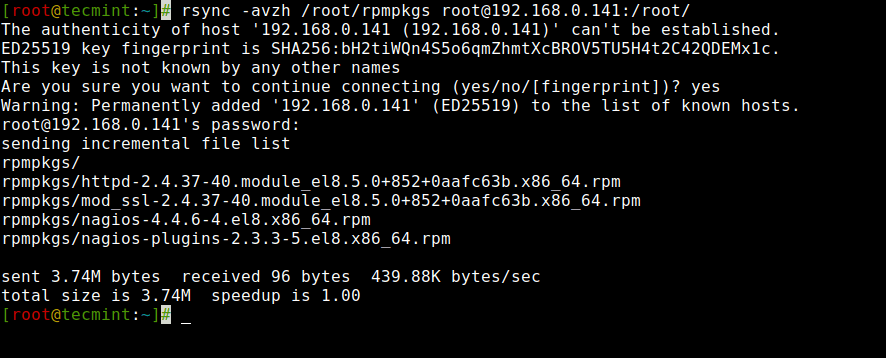
Rsync Directory Remote System 

4. Rsync Over SSH

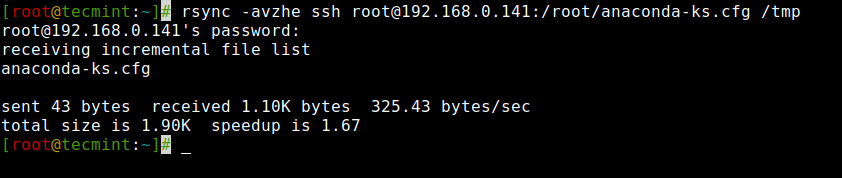
Rsync Copy Remote File to Local


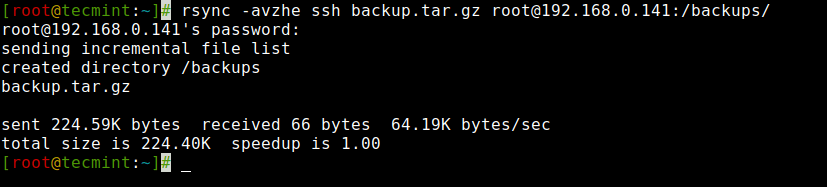
Rsync Copy Local File to Remote


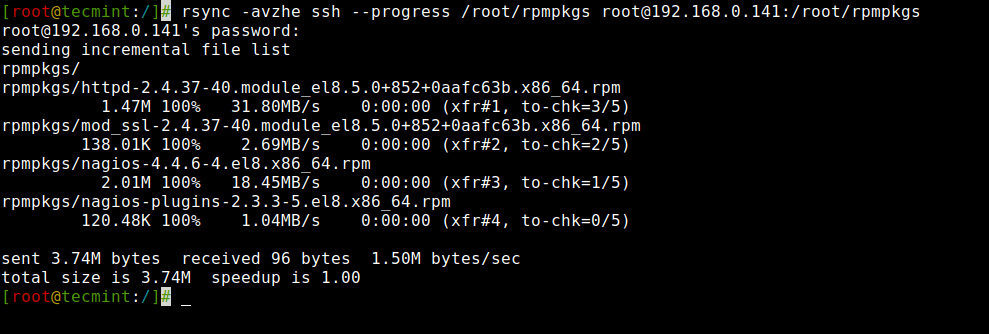
5. Show Progress While Transferring Data with rsync

Rsync Progress While Copying Files


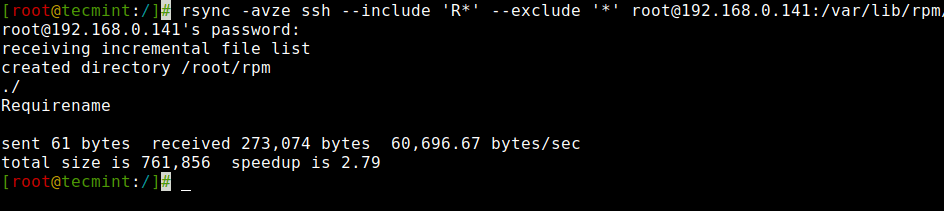
6. Use of –include and –exclude Options

Rsync Include and Exclude Files 

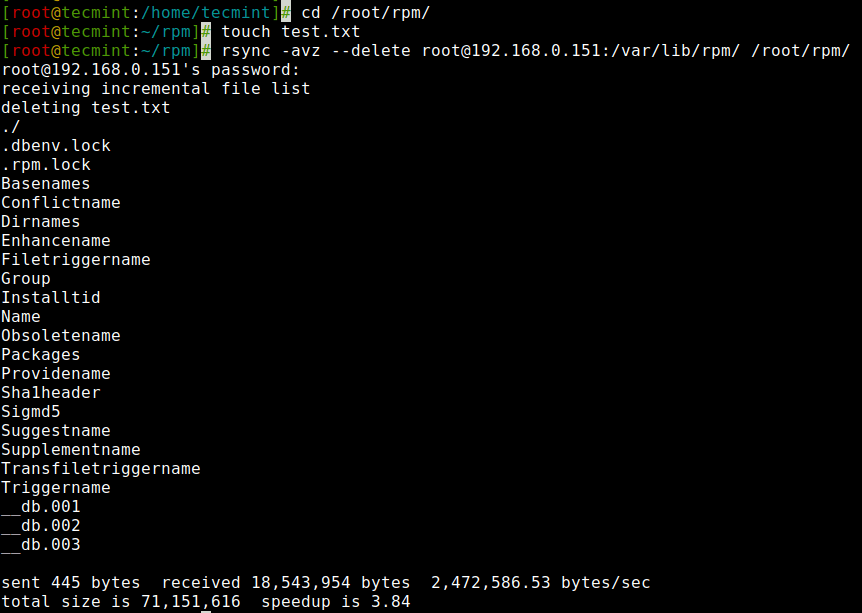
7. Use of –delete Option

If a file or directory does not exist at the source, but already exists at the destination, you might want to delete that existing file/directory at the target while syncing.
Rsync Delete Option 

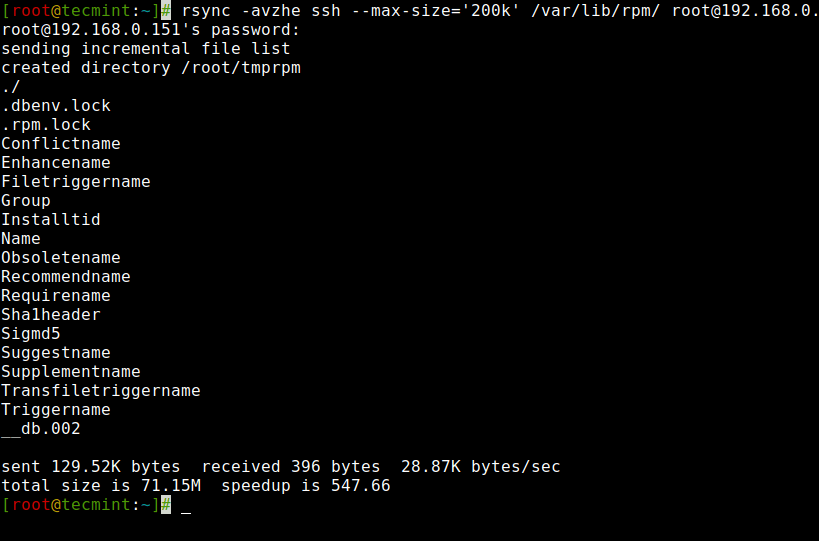
8. Set the Max Size of Files to be Transferred

this command will transfer only those files which are equal to or smaller than 200k.

Rsync Set Max File Transfer Size 

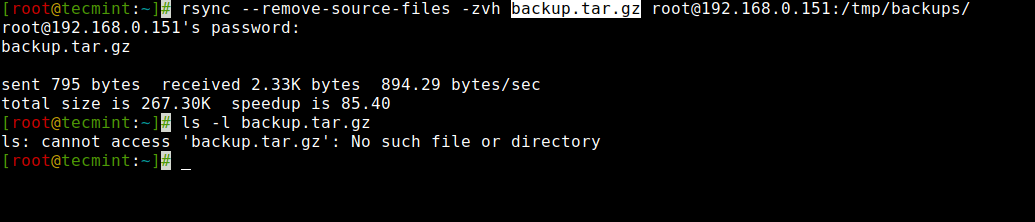
9. Automatically Delete source Files After Successful Transfer

Rsync Delete Source File After Transfer

Tuesday, 9 November 2021

Face Landmark Annotation Tool

 import cv2

pts = []
count = 0
def click_event(event,x,y,flags,params):
    if event == cv2.EVENT_LBUTTONDOWN:
        pts.append([x,y])
        font = cv2.FONT_HERSHEY_SIMPLEX
        cv2.circle(img, (x,y), 2, (0,255,0))
        cv2.putText(img,str(len(pts)-1),(x,y),font,0.5,(255,0,0),1)
        print(pts)

        cv2.imshow('image',img)
    if event == cv2.EVENT_RBUTTONDOWN:
        pts.pop()

if __name__ =="__main__":
    img = cv2.imread('/home/ccng/a2e/face-analysis-sdk/build/bin/afanqi.jpg',1)

    cv2.imshow('image',img)

    cv2.setMouseCallback('image',click_event)

    cv2.waitKey(0)

    cv2.destroyAllWindows()

Thursday, 28 October 2021

conda pip install TypeError: join() argument must be str or bytes, not ‘int‘

curl https://bootstrap.pypa.io/get-pip.py -o get-pip.py

conda activate python35

python get-pip.py

Thursday, 5 August 2021

How to generate a chrome playable video in python? videowriter, videoreader

 import cv2
import numpy as np
import subprocess as sp

# writer = cv2.VideoWriter(path, cv2.VideoWriter_fourcc(*"h264"), fps,
#                          (int(width), int(height)))
# for b in buffers:
#     writer.write(b)
# writer.release()

# Create a VideoCapture object
cap = cv2.VideoCapture('input.mp4')

# Check if camera opened successfully
if (cap.isOpened() == False):
  print("Unable to read camera feed")

# Default resolutions of the frame are obtained.The default resolutions are system dependent.
# We convert the resolutions from float to integer.
frame_width = int(cap.get(3))
frame_height = int(cap.get(4))

path = "output.mp4"
FFMPEG_BIN = "ffmpeg" # on Linux ans Mac OS
command = [ FFMPEG_BIN,
    '-y', # (optional) overwrite output file if it exists
    '-f', 'rawvideo',
    '-vcodec','rawvideo',
    '-s', '%dx%d' % (frame_width, frame_height), # size of one frame
    '-pix_fmt', 'bgr24',
    '-r', '15', # frames per second
    '-i', '-', # The input comes from a pipe
    '-an', # Tells FFMPEG not to expect any audio
    '-vcodec', 'h264',
    '%s' % (path) ]

pipe = sp.Popen( command, stdin=sp.PIPE, stderr=sp.PIPE)

while(True):
  ret, frame = cap.read()

  if ret == True:
    
    # Write the frame into the file 'output.avi'
    # out.write(frame)
    pipe.stdin.write( frame.tostring() )


    # Display the resulting frame    
    cv2.imshow('frame',frame)

    # Press Q on keyboard to stop recording
    if cv2.waitKey(1) & 0xFF == ord('q'):
      break

  # Break the loop
  else:
    break  

if pipe:
    pipe.stdin.close()
    if pipe.stderr is not None:
        pipe.stderr.close()
    pipe.wait()
    pipe = None
    
# When everything done, release the video capture and video write objects
cap.release()
# out.release()

# Closes all the frames
cv2.destroyAllWindows()
Thursday, 15 July 2021

How to compare numpy array between two variables?

         # only compare part of results
        assert np.allclose(
            pytorch_result, onnx_result,
            atol=1.e-5), 'The outputs are different between Pytorch and ONNX'
        print('The numerical values are same between Pytorch and ONNX')